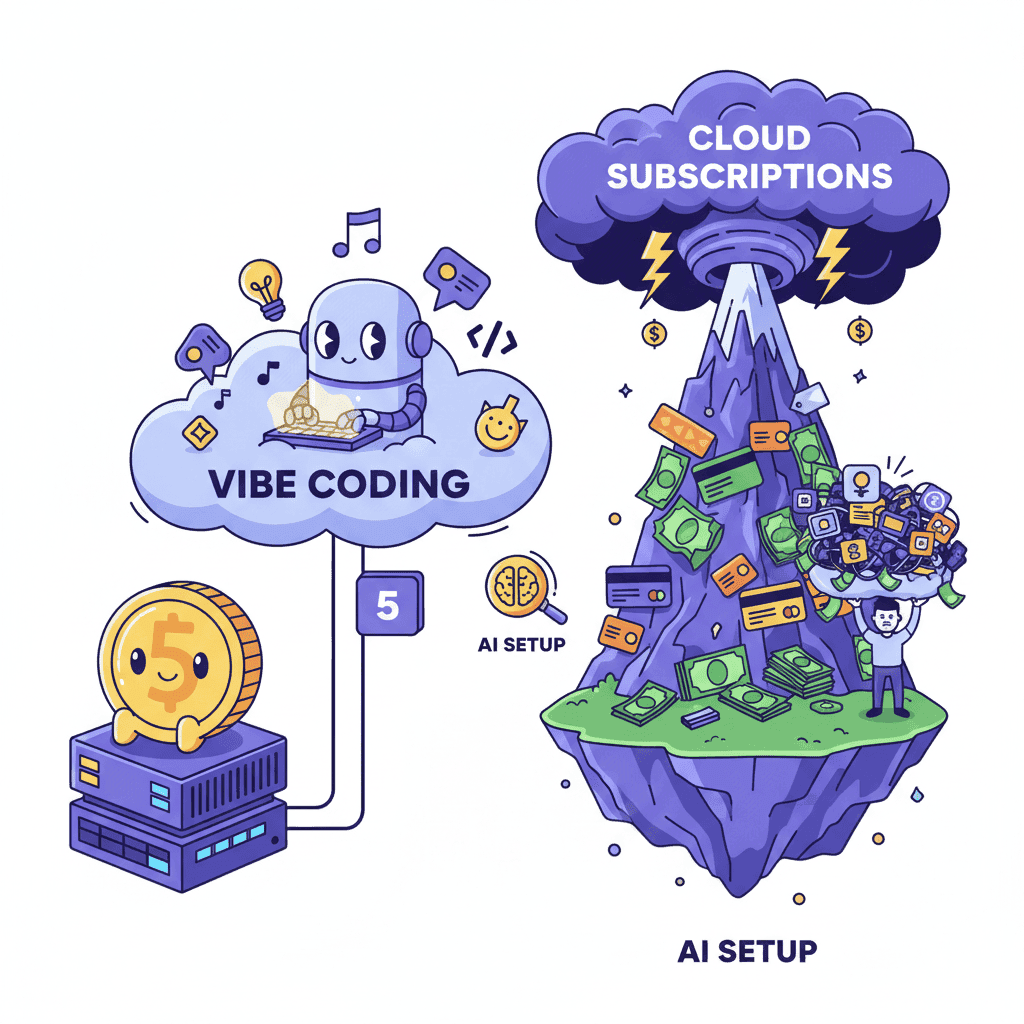
Let me tell you about the moment I realized I was burning money on AI coding subscriptions.
I had three different tools—$20 here, $50 there, another $99 for the "pro" tier. That's $169/month just to generate React components and landing pages. And honestly? I was using maybe 20% of what I was paying for.
Then I discovered you can self-host vibe coding tools on a $5 VPS and use your own API keys. Same models. Same capabilities. Fraction of the cost.
Is it right for everyone? No. But if you're tired of subscription fatigue and want more control over your workflow, this guide is for you.
Key Takeaways:
- A $5/month VPS can run bolt.diy and other self-hosted AI frontend builders
- Bring your own API keys (Claude, GPT-4) for pay-per-use pricing
- Total cost: ~$15-30/month vs $150-300 for equivalent cloud subscriptions
- Self-hosting makes sense for power users—not casual vibe coders
In This Article
- What You Can Self-Host in 2026
- Hardware Requirements
- Step 1: VPS Setup & Security
- Step 2: Deploy bolt.diy
- Step 3: Connect Your API Keys
- Step 4: Optimize for Frontend
- Cost Breakdown
- FAQ
What You Can Self-Host in 2026
Here's the landscape of self-hostable vibe coding tools right now:

| Tool | What It Does | Difficulty | Best For |
|---|---|---|---|
| bolt.diy | Full bolt.new experience, self-hosted | Medium | Frontend generation, landing pages |
| VibeSDK | Cloudflare's open-source vibe platform | Easy | Custom vibe coding environments |
| Open Interpreter | Local AI coding assistant | Medium | Terminal-based workflows |
| Ollama + Continue | Local LLMs in your IDE | Hard | Offline development |
The big winner here is bolt.diy—the open-source version of bolt.new. It gives you essentially the same UI generation capabilities, but you bring your own API keys and host it wherever you want.
And honestly? For pure frontend vibe coding, that's all most people need.
Hardware Requirements: $5 VPS is Enough
Here's the thing that trips people up: they think they need beefy hardware for AI coding. You don't. The AI inference happens on the provider's servers (OpenAI, Anthropic, etc.)—your VPS just needs to run the web interface.
Minimum specs for bolt.diy:
- 1 CPU core
- 1GB RAM (2GB recommended)
- 20GB storage
- Any Linux distro (Ubuntu 22.04 LTS recommended)
That's literally a $5/month DigitalOcean Droplet. Or a $4.50 Vultr instance. Or a free-tier Oracle Cloud VM if you're really penny-pinching.
Now, there's one exception: if you want to run local LLMs (like Llama 3 or Mistral) instead of using API keys, you'll need significantly more hardware. We're talking 16GB+ RAM and a decent GPU. That's a different article entirely.
For this guide, we're assuming you're using API keys—which is what makes the $5 setup viable.
Step 1: VPS Setup & Security Hardening
I'm going to be direct: most VPS tutorials skip security. Don't be that person who gets their server compromised because they left SSH open with password auth.

Create Your VPS
Pick your provider (DigitalOcean, Vultr, Linode—they're all fine) and spin up an Ubuntu 22.04 instance. The $5-6 tier is plenty.
Initial Security Setup
SSH into your new server and run through this checklist:
# Update everything first
sudo apt update && sudo apt upgrade -y

# Create a non-root user
adduser deployer
usermod -aG sudo deployer

# Set up SSH keys (do this from your local machine)
ssh-copy-id deployer@your-server-ip

# Disable password authentication
sudo nano /etc/ssh/sshd_config
# Change: PasswordAuthentication no
# Change: PermitRootLogin no
sudo systemctl restart sshd
Configure the Firewall
# Enable UFW
sudo ufw default deny incoming
sudo ufw default allow outgoing
sudo ufw allow ssh
sudo ufw allow 80/tcp
sudo ufw allow 443/tcp
sudo ufw enable
This matters. I've seen too many devs spin up a server, install their app, and wonder why it got cryptojacked a week later. Don't skip the basics.
For a deeper dive on securing your AI-generated code (not just your server), check out The Vibe Coding Security Checklist.
Step 2: Deploy bolt.diy with Docker
Docker makes this stupid simple. Seriously—if you've avoided Docker because it seemed complicated, this is your gateway drug.
Install Docker
# Install Docker
curl -fsSL https://get.docker.com -o get-docker.sh
sudo sh get-docker.sh

# Add your user to the docker group
sudo usermod -aG docker deployer

# Log out and back in for group changes to take effect
exit
# SSH back in
Clone and Configure bolt.diy
# Clone the repo
git clone https://github.com/stackblitz-labs/bolt.diy.git
cd bolt.diy

# Copy the example environment file
cp .env.example .env
Configure Your Environment
Open .env and add your API keys (we'll discuss which ones in the next section):
# Required - at least one of these
OPENAI_API_KEY=sk-your-key-here
ANTHROPIC_API_KEY=sk-ant-your-key-here

# Optional but recommended
GROQ_API_KEY=your-groq-key
Start It Up
# Build and run
docker compose up -d

# Check if it's running
docker ps
Your self-hosted bolt.diy should now be running on port 5173. You can access it at http://your-server-ip:5173.
(Optional) Add HTTPS with Nginx
For production use, you'll want HTTPS. Here's the quick version:
# Install Nginx and Certbot
sudo apt install nginx certbot python3-certbot-nginx -y

# Create nginx config
sudo nano /etc/nginx/sites-available/bolt
Add this configuration:
server {
    server_name yourdomain.com;

    location / {
        proxy_pass http://localhost:5173;
        proxy_http_version 1.1;
        proxy_set_header Upgrade $http_upgrade;
        proxy_set_header Connection 'upgrade';
        proxy_set_header Host $host;
        proxy_cache_bypass $http_upgrade;
    }
}
Then enable it:
sudo ln -s /etc/nginx/sites-available/bolt /etc/nginx/sites-enabled/
sudo certbot --nginx -d yourdomain.com
sudo systemctl restart nginx
Step 3: Connect Your Own API Keys
This is where the cost savings actually come from. Instead of paying Bolt.new $20/month for access to Claude, you're paying Anthropic directly—and only for what you use.
Which API Keys Do You Need?
| Provider | Model | Best For | Pricing |
|---|---|---|---|
| Anthropic | Claude 3.5 Sonnet | Best overall for UI generation | $3/$15 per 1M tokens |
| OpenAI | GPT-4o | Good alternative, fast | $5/$15 per 1M tokens |
| Groq | Llama 3.1 70B | Fast iteration, budget option | Free tier available |
| Gemini 1.5 Pro | Long context windows | $3.50/$10.50 per 1M tokens |
My recommendation? Start with Anthropic's Claude 3.5 Sonnet. It's the best model for frontend generation right now—hands down. The code quality is noticeably better than GPT-4 for React/Tailwind work.
If you're just getting started with vibe coding, you might want to read Vibe Coding for Beginners first to understand the workflow before diving into self-hosting.
Getting Your API Keys
Anthropic (Claude):
- Go to console.anthropic.com
- Create an account and add credits ($5 minimum)
- Generate an API key
OpenAI (GPT-4):
- Go to platform.openai.com
- Set up billing
- Create a new API key
Groq (for fast, cheap iterations):
- Go to console.groq.com
- Sign up (has a generous free tier)
- Create an API key
Add them all to your .env file. Bolt.diy will let you switch between models in the UI.
Step 4: Optimize for Frontend Generation
Here's the hill I'll die on: the model matters less than how you prompt it.
I've seen people generate better UIs with a well-prompted Llama model than a poorly-prompted GPT-4. So before you worry about which API key to use, get your prompting right.
Model Selection Tips
For pure frontend generation (React + Tailwind), here's my ranking:
- Claude 3.5 Sonnet - Consistently produces cleaner component architecture
- GPT-4o - Great for complex logic, slightly messier Tailwind
- Gemini 1.5 Pro - Good for large context (refactoring entire files)
- Llama 3.1 70B via Groq - Fast iteration, use for quick experiments
Prompt Strategy That Works
Bolt.diy uses the same prompt patterns as the cloud version. The key is being specific about:
- Framework (React, not "JavaScript")
- Styling (Tailwind CSS, not "CSS")
- Component structure (single file vs. split)
- Interactivity (mock data vs. real state)
For example, instead of:
"Build me a pricing page"
Try:
"Build a SaaS pricing page with React and Tailwind CSS. Include 3 tiers (Free, Pro, Enterprise) with toggle for monthly/annual billing. Use shadcn/ui card components. Add a 'Most Popular' badge to Pro tier."
If you want more prompts that actually work, check out our Tailwind component generation guide.
Cost Breakdown: Self-Hosted vs Subscriptions
Let's get real about the numbers.
The Subscription Model
| Service | Monthly Cost | What You Get |
|---|---|---|
| Bolt.new Pro | $20 | Limited tokens, bolt.new access |
| v0 Pro | $20 | Limited generations |
| Cursor Pro | $20 | IDE + AI assistance |
| Lovable Basic | $20 | Limited tokens |
| Total | $80+ | If using multiple tools |
The Self-Hosted Model
| Item | Monthly Cost | Notes |
|---|---|---|
| VPS (1GB) | $5-6 | DigitalOcean, Vultr, etc. |
| Claude API | $10-20 | Depends on usage |
| OpenAI API | $5-10 | Backup model |
| Domain + DNS | $1 | Optional but nice |
| Total | $15-30 | For equivalent capabilities |
The difference is stark: 70-80% cost reduction if you're a power user.
But here's the catch—and I want to be honest about this.
When Self-Hosting Makes Sense (And When It Doesn't)
Self-hosting is NOT for everyone. Here's my honest assessment:
✅ Self-Host If You:
- Use AI coding tools 20+ hours/month
- Want to avoid subscription lock-in
- Enjoy tinkering with infrastructure
- Need data privacy (your prompts stay on your server)
- Already have DevOps skills
❌ Stick with Cloud If You:
- Are just getting started with vibe coding
- Value convenience over cost savings
- Don't want to maintain a server
- Use AI tools casually (<10 hours/month)
- Need team collaboration features
For most beginners, I'd actually recommend starting with cloud tools (Bolt.new, v0, or even Fardino) to learn the workflow first. Self-hosting is an optimization for power users, not a starting point.
If you're already familiar with cloud bolt.new and want to see how it compares, check out our Bolt.new tutorial for context.
Pro Tips: What I Learned the Hard Way
After running my own vibe coding server for 6 months, here are the lessons:
1. Set up API spending limits. Both Anthropic and OpenAI let you cap your monthly spend. Do it. I once left a prompt loop running and burned through $50 in an afternoon.
2. Use Groq for iteration, Claude for finals. When you're rapidly iterating on a design, use the fast/cheap Groq models. Switch to Claude when you're happy with the direction and want polished code.
3. Back up your .env file. Seriously. Store those API keys somewhere secure. I use a password manager.
4. Monitor your VPS. Set up basic monitoring (even just email alerts for high CPU). A $5 VPS can handle bolt.diy, but it'll struggle if you're also running other services.
5. Keep Docker images updated. Run docker compose pull && docker compose up -d monthly to get security patches.
You Might Also Like
- Vibe Coding Best Practices Guide - Get the fundamentals right before self-hosting
- Context Engineering for AI Coding - Make your prompts work harder
- Fix AI Generated Code Errors - Because things will break (they always do)
Frequently Asked Questions
Can I really run vibe coding tools on a $5 VPS?
Yes, but with a caveat. The AI inference doesn't happen on your server—it happens on OpenAI/Anthropic's servers via API calls. Your VPS just runs the web interface. A $5 VPS handles that easily. If you wanted to run local LLMs, you'd need much beefier hardware.
Is self-hosted bolt.diy identical to bolt.new?
Almost. Bolt.diy is the open-source version and has nearly all the same features. The main differences: (1) you bring your own API keys, (2) some enterprise features may be missing, and (3) you're responsible for updates. For 95% of frontend vibe coding, it's identical.
How much will I actually spend on API costs?
Depends on usage. A typical frontend developer doing moderate vibe coding might spend $10-30/month on Claude API calls. Heavy users who generate dozens of components daily might hit $50-100. Still usually cheaper than subscriptions, but monitor your usage.
Do I need to know Docker to set this up?
You need to be able to copy-paste Docker commands and edit config files. That's about it. If you can follow this tutorial, you can do it. Docker abstracts away most of the complexity.
What about team collaboration?
This is where cloud tools win. Self-hosted bolt.diy is single-user by default. If you need shared workspaces, real-time collaboration, or team management—stick with cloud services or explore VibeSDK's enterprise features.
Written by the Fardino Team. We build AI tools for frontend developers. Try Fardino free →